
Deploy a server with transformable.app
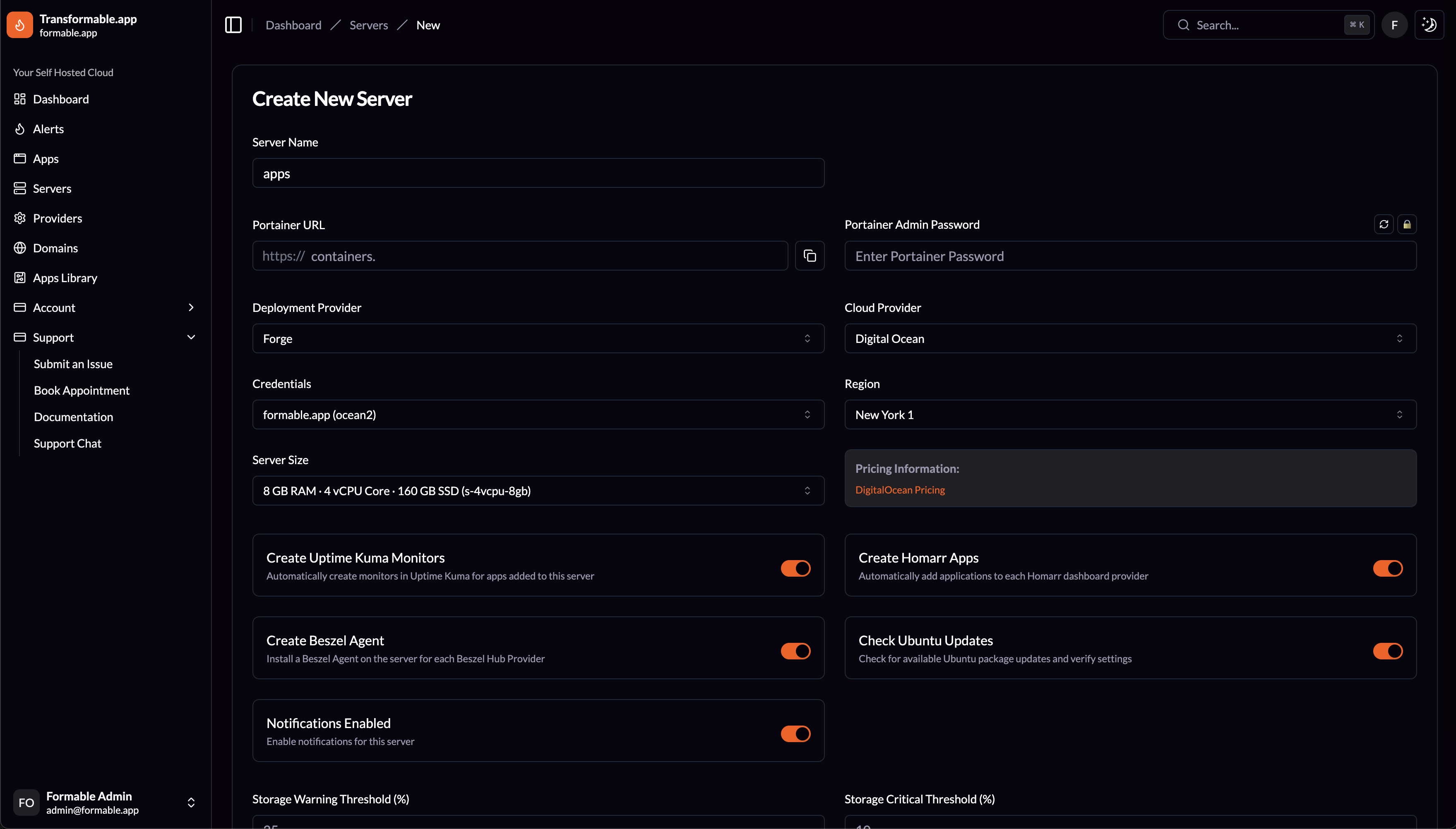
Create a New Server
Creating a new server will deploy a server on Laravel Forge based on the Deployment Provider you select. Credentials are retrieved from Forge for every Cloud Provider so you can select from all the available Regions and Server Sizes.
A Server Name and Portainer URL along with a Portainer Admin Password are required. These are used during Portainer setup to create a site and configure your Portainer installation.
The following options are available for each server:
Create Uptime Kuma Monitors
Automatically create monitors in Uptime Kuma for apps added to this server.
Create Beszel Agent
Install a Beszel Agent on the server for each Beszel Hub Provider.
Create Homarr Apps
Automatically add applications to each Homarr dashboard provider.
Check Ubuntu Updates
Check for available Ubuntu package updates and verify settings.
Notifications Enabled
Enable email notifications for this server.
Storage Warning Threshold (%)
Defaults to 25% free disk space. Email notification will be sent when threshold is reached.
Storage Critical Threshold (%)
Defaults to 10% free disk space. Email notification will be sent when threshold is reached.
Ubuntu Version
Choose between Ubuntu 24.04 or 22.04.
PHP Version
Choose a PHP 8 version.
Database Type
Choose what database type to setup by default. MySQL, MariaDB or PostgreSQL.