
Install apps with transformable.app
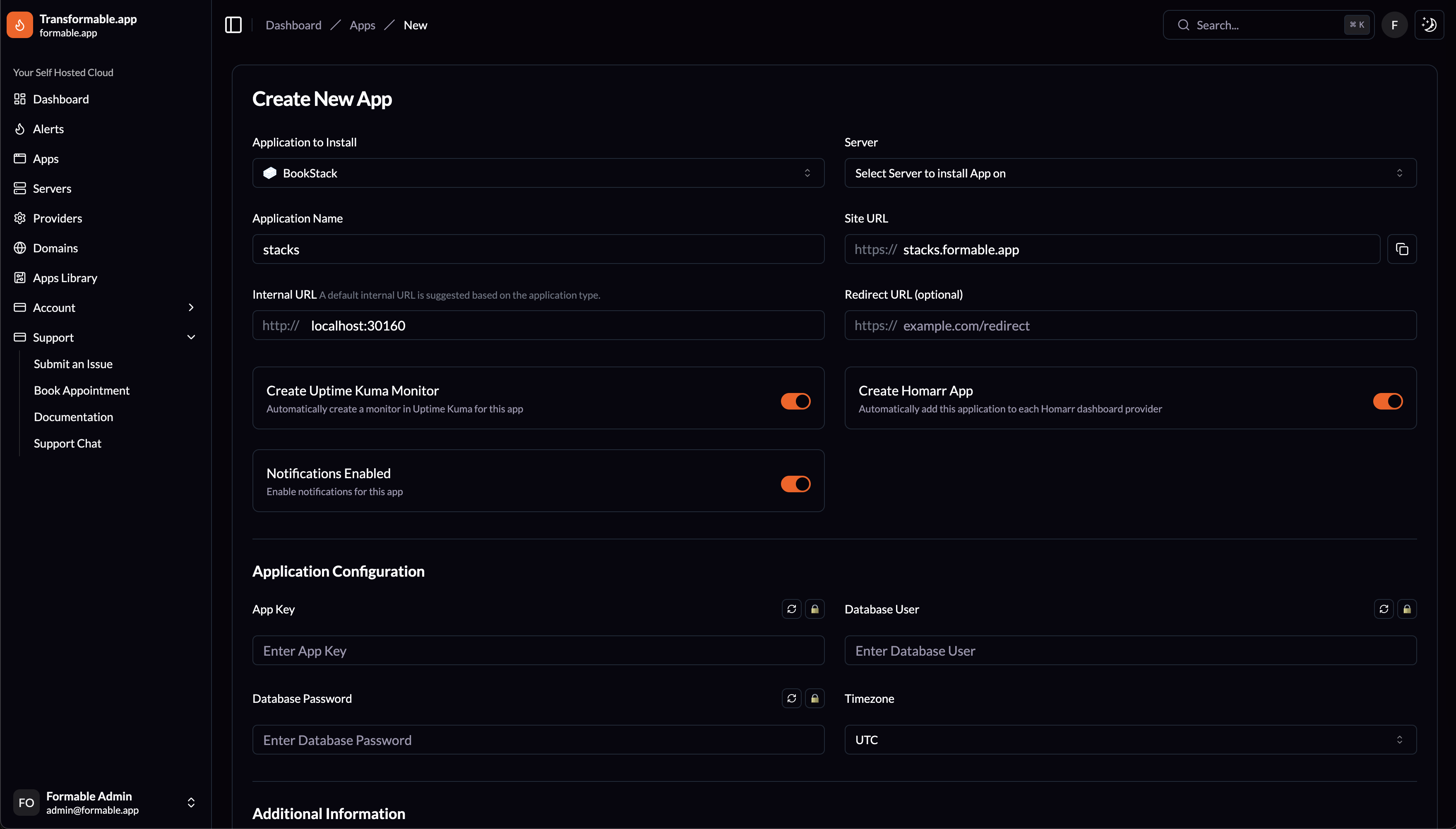
Create a New App
Creating a new app on transformable.app creates a Portainer Stack on the Server you select. You can choose from any app in the transformable.app Apps Library. Application Configuration fields are available for each application so you can quickly configure required environment variables for the stack.
Application Name & Site URL
Fill in an Application Name to name your Portainer Stack. Site URL is also required so transformable.app can deploy a site on Forge and activates a Let's Encrypt SSL certificate for it.
Application Internal URL & Port
The Internal URL is auto-assigned a port based on the application you select. The port can be updated if installing multiple copies of apps.
Redirect URL
Redirect URL is optional and will setup Nginx to redirect to the redirect URL instead of loading an app. Select Proxy to setup just a redirect.
The followings options are available for each app:
Create Uptime Kuma Monitor
Automatically create a monitor in Uptime Kuma for this app.
Create Homarr App
Automatically add this application to each Homarr dashboard provider.
Notifications Enabled
Enable email notifications for this app.
Additional Information
Notes can be added for the transformable.app team if you need us to help with app configuration or have any questions.